
Grade Calculator
Find your current grade from scores and weights.
Enter your details and press Calculate to see your result.
A Grade Calculator helps you see where your class grade stands and what score you still need on upcoming work. If you have ever wondered whether a tough final exam can save your semester, you are not alone, and the math is easier than it looks once you have your syllabus in hand.
How a Grade Calculator Works
A grade calculator takes your scores on each assignment, multiplies them by the weight each category carries in your course, and adds everything up to give you a current grade. Most syllabi split the final grade into groups like homework, quizzes, midterms and a final exam, with each group worth a set share of the total. The calculator averages the scores within each group, applies that group’s weight, and combines the results into one percentage. You can then match that percentage to your letter grade using your grading scale, and see how much your remaining work could shift the outcome.
Weighted vs. Unweighted Grades
Not every assignment counts the same. A weighted grade gives each category a set share of your final mark, such as 40% for exams, 30% for homework and 30% for a project. An unweighted grade simply averages all your scores together, so a quiz and a final exam carry equal weight. Your syllabus shows which system your class uses.
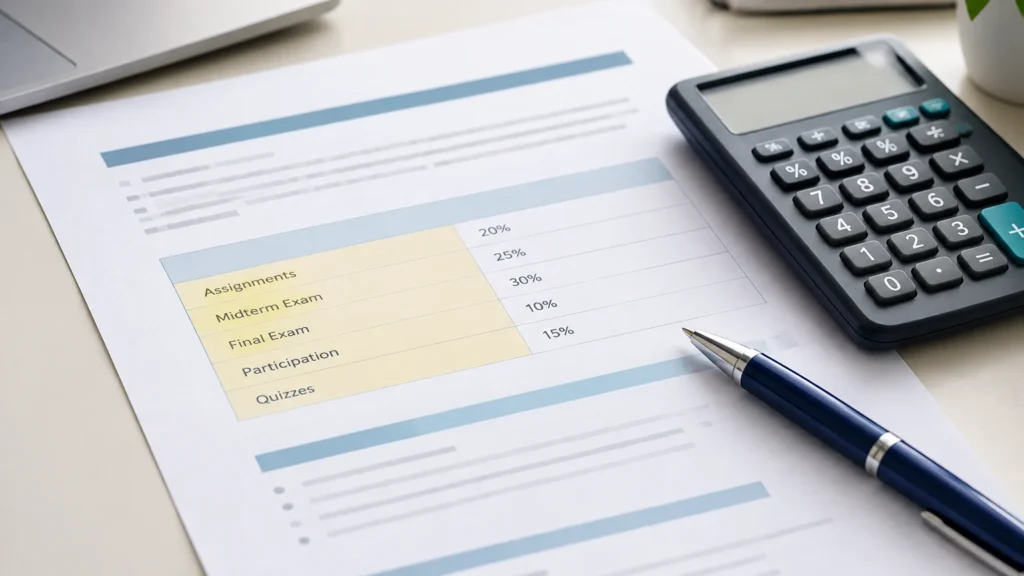
Here is an example. Suppose your exams average 80%, homework averages 90% and your project scored 70%. With those weights, your final grade is (0.40 × 80) + (0.30 × 90) + (0.30 × 70), which equals 32 + 27 + 21 = 80%. An unweighted average of the same three scores would give about 80% as well, but a heavy exam score would count for far more under weighting.
| Category | Weight | Your Average | Points Contributed |
|---|---|---|---|
| Exams | 40% | 80% | 32 |
| Homework | 30% | 90% | 27 |
| Project | 30% | 70% | 21 |
| Final Grade | 100% | — | 80 |
How to Calculate Your Final Grade Step by Step
Working out your final grade takes about five minutes once you have your syllabus in hand. Follow these steps and you can also see exactly what you need on your final exam.
- Gather your scores. Pull up your current grades from Canvas, Blackboard or your class portal, and write down each score you have so far.
- Find the weights. Check your syllabus for the course weighting, such as 30% for homework and 40% for the midterm.
- Apply the weights. Multiply each score by its weight, then add the results together to get your current grade.
- Plan the final. Subtract your current points from your target, then divide by the final exam weight to see the score you need.
Tips for Using a Grade Calculator Accurately
A grade calculator is only as good as the numbers you feed it. Start with your syllabus, because it lists the category weights and the grading scale your professor actually uses. Check how your school handles dropped scores, extra credit, and rounding, since these rules can shift your final number.
- Confirm each category weight adds up to 100 percent.
- Ask whether the lowest quiz or assignment gets dropped.
- Find out if extra credit is capped or added to the total.
- Check whether grades round up or are cut off at each boundary.
When your result is close to a letter-grade cutoff, email your instructor for the exact policy. Your school’s official gradebook is the final word.
Key Takeaways
- A grade calculator turns your scores and course weights into a current grade, so you can see where you stand at any point in the term.
- Weighted grades count some assignments more than others, so always check your syllabus for the exact category percentages.
- To find the score you need on a final exam, plug in your current grade, the final’s weight, and your target grade.
- Results are only as good as your inputs, so confirm the grading scale and weights with your instructor or learning platform.
Frequently Asked Questions About Grade Calculator
Is a grade calculator accurate for my school?
A grade calculator is accurate when its inputs match your course. Schools differ in how they round grades, drop lowest scores, and set letter-grade cutoffs. Compare the result with your syllabus and your gradebook in Canvas, Blackboard, or a similar system. If the numbers don’t match, check the weights and the grading scale first.
What grade do I need on my final exam?
Start with your current grade and the final’s weight in the course. Then work out the score that brings your total to your target. The formula is: needed score equals (target minus current grade times its share of the course) divided by the final’s weight. Your instructor can confirm the exact weights.
How do I calculate a weighted grade?
Find the average score for each category, such as homework, quizzes, and exams. Multiply each average by its category weight from the syllabus, then add the results together. Dividing by the total of the weights gives your weighted grade. Category weights typically add up to 100 percent, but check your course to be sure.
Does a grade calculator work for college courses?
Yes. The same method works for college courses, which often use weighted categories and final exams. College grading scales vary by institution, and some use plus and minus grades or a four-point GPA scale. For a cumulative average across courses, a GPA calculator is the better tool, since it weighs each course by its credit hours.
How do I convert points into a letter grade?
Schools set their own grading scales, so a common scale such as 90 and above for an A is only a typical example. Check your syllabus or your school’s official grading policy to confirm the cutoffs your course uses before relying on a letter grade.
References & Further Reading
- Khan Academy – Khan Academy
- College Board – College Board
- Federal Student Aid – U.S. Department of Education
About This Article
This guide was written with AI assistance from publicly available information. Prices, nutrition values and availability can change, so confirm important details with the official source before you decide.
Pingback: CGPA to Percentage Calculator – Free Converter
Pingback: Final Grade Calculator: Find Your Needed Score
Pingback: GPA Calculator: Free Tool to Find Your GPA
Pingback: Calcsolver: What It Is and How to Use It